

Jacob Jan Founder, Scalable
Writes about commerce AI and creative operations.
Seasonal playbook
The Q4 catalog refresh: Amazon listing optimization for peak season without a photoshoot
Peak season is won on framing, not new products. Re-dress your whole catalog in-house, in days, not weeks.
TLDR
- Peak season is almost here and your listings are still wearing last year's images, because a real re-shoot means a budget, a studio's calendar, and weeks you cannot spare.
- A seasonal refresh is not new products. It is new framing: gifting cues, holiday scenes, the context that makes a shopper pick your product as the gift.
- You can re-dress a whole catalog yourself, in days instead of weeks, and keep the parts the marketplace will not let you touch.
- Inside: what to refresh, what to leave exactly as it is, and a plan worked backward from the peak dates.
The Q4 catalog refresh: Amazon listing optimization for peak season without a photoshoot
Q4 is where the e-commerce year is decided. US retail sales in November and December are projected to grow 3.7% to 4.2%, passing $1 trillion for the first time [1]. The traffic arrives on a schedule, and it arrives ready to buy.
So Amazon listing optimization has a season, and this is it. The shoppers coming in the run-up to peak are in gifting mode, comparing fast, and deciding in a glance whether your product looks like the right thing to buy right now. The listing that greets them should look like it belongs to the season. Most do not.
How do you refresh Amazon images for Q4 without a photoshoot?
Quick answer
Regenerate them. A seasonal refresh changes the framing, not the product: keep your compliant main image as it is, then rebuild the gallery, lifestyle, and A+ slots with gifting cues and holiday context. Work from your existing references so every listing stays on-brand and true to the real item. Batch it across the catalog and the whole set ships in days, not weeks.
Why most catalogs enter Q4 wearing last year's images
The reason is not laziness. It is the bottleneck. A proper re-shoot has always meant a photographer and a studio day, or an agency at four figures a listing, or a full-time creative hire at thousands a month. You commit the money and the time, then wait to find out whether the results were worth it.
That is a blind bet, and it is expensive enough that most sellers only place it once. They shoot when a product launches, then leave the images frozen while the calendar keeps moving.
And maybe the budget is not even your problem. Maybe you are simply maxed out. A shoot does not scale to hundreds of SKUs, it locks you to someone else's calendar, and the catalog drifts off-brand as it grows. Either way the result is the same: by the time the holiday rush lands, the whole catalog is dressed for a season that ended months ago.
Peak season punishes that quietly. Your listing still works, but it is competing next to products that look gift-ready, and the shopper feels the difference before they can name it. The fix is not another shoot. It is a faster way to change what the images say.
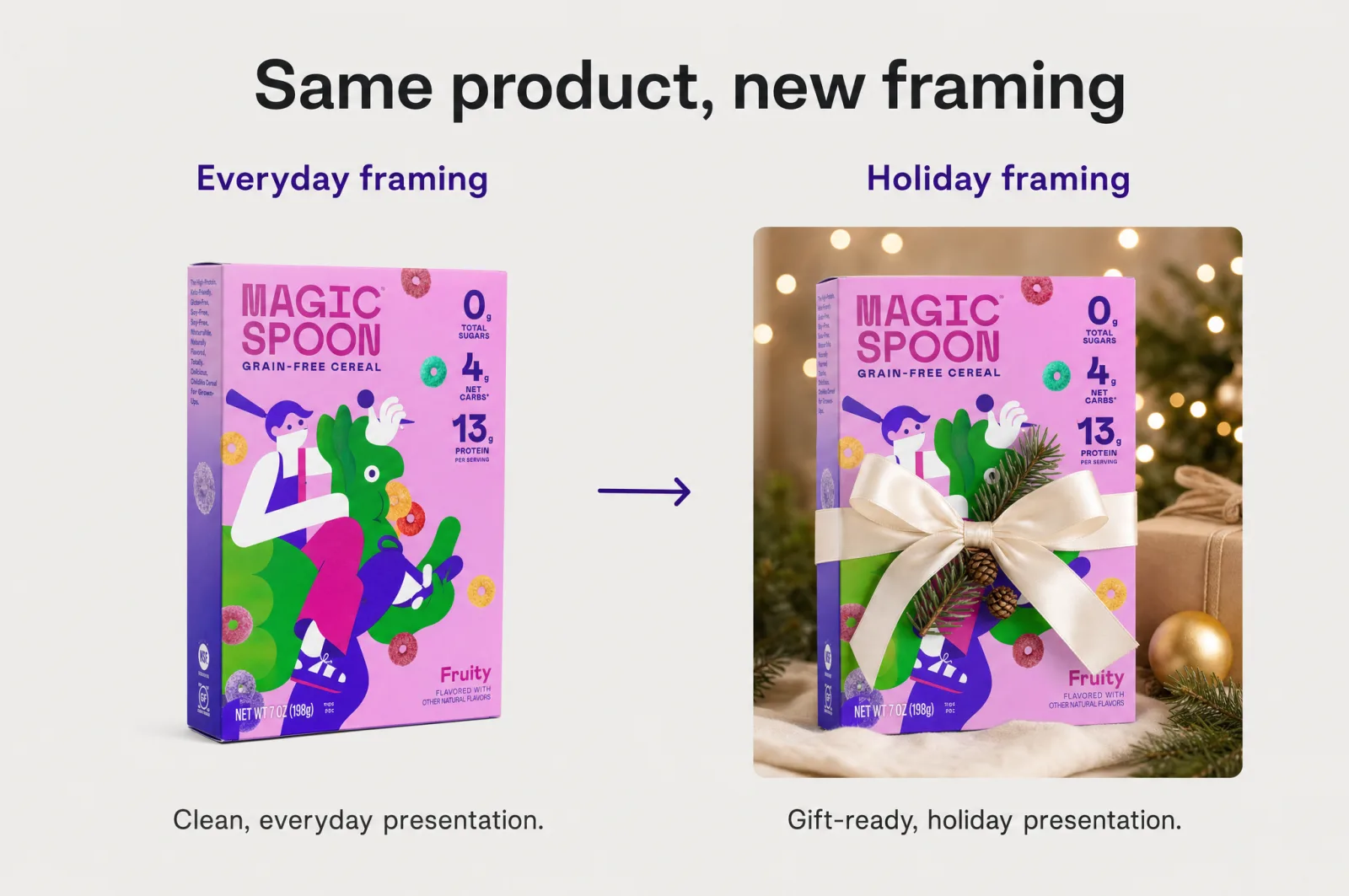
A seasonal refresh changes the framing, not the product
The reframe that makes a catalog-wide refresh realistic: you are not making new products. You are changing how you present the same one.
Your listing is not one hero shot. It is a set of slots, each with a job, that together read as an ordered sales pitch: one image to win the click, then a sequence that confirms the buy, handles objections, and closes. We break that blueprint down in 8 Amazon listing images, 8 jobs, and it is the map you refresh against. A seasonal update does not rewrite the map. It re-dresses the slots that carry story.
Seasonal framing is concrete. Show a gifting cue: the product boxed, wrapped, or staged as a present. Add a seasonal context, the holiday table or the cold-weather moment your product fits into. Then answer "is this a good gift?" before the shopper has to wonder. None of that needs a new SKU or a new shoot, just new framing on the images you already have.
What to refresh, and what to leave exactly as it is
This is where a refresh quietly goes wrong, so be precise.
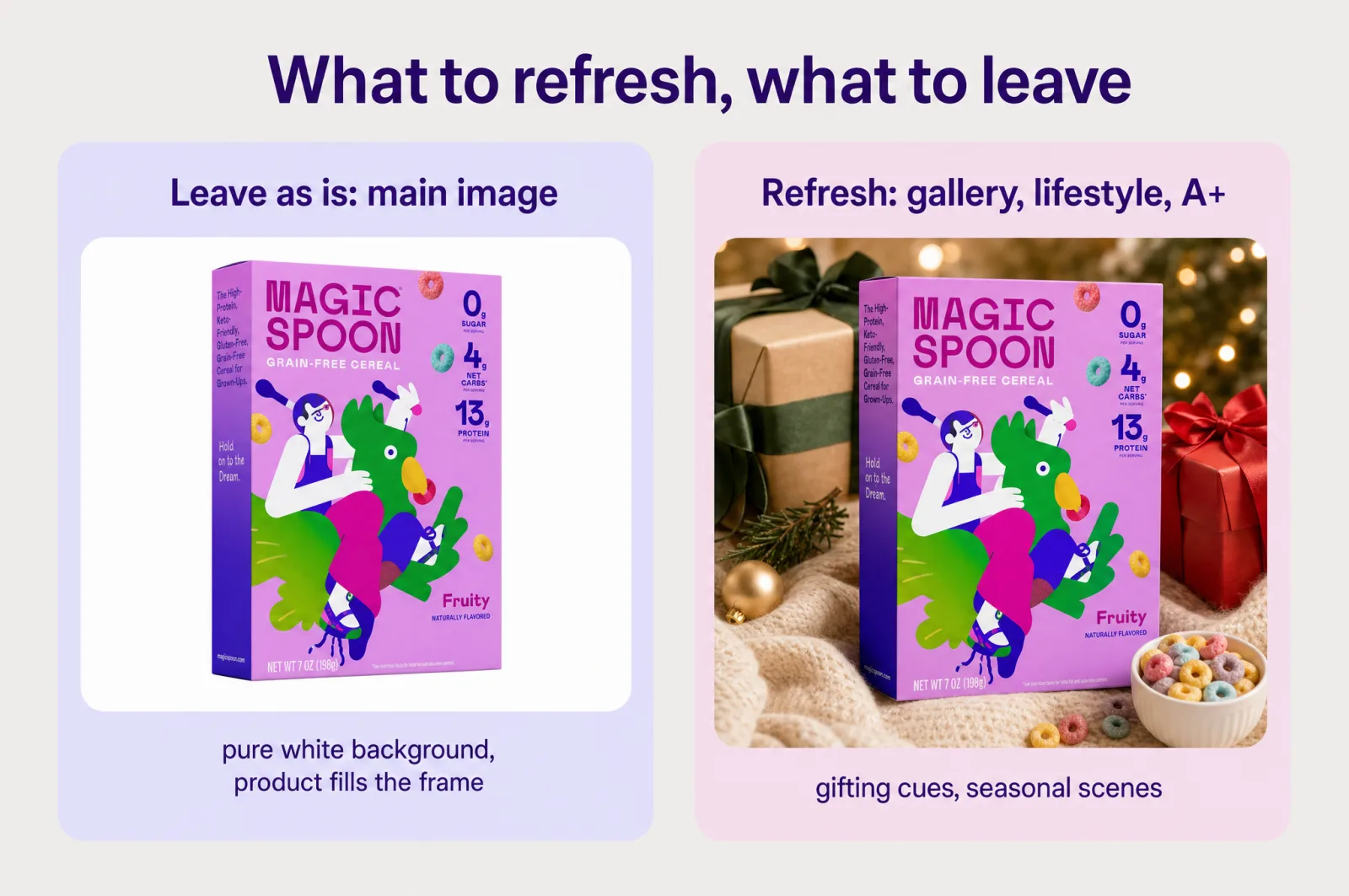
Leave the main image alone. Amazon requires the main image to sit on a pure white background (RGB 255, 255, 255) with the product filling about 85% of the frame [2]. That rule does not take a holiday. A snowy backdrop or a wrapped-gift main image is a suppression risk, not a seasonal win. Your main image job is compliance plus clarity, all year. If you want to sharpen it, do it inside the rules, the way we lay out in Amazon main image requirements, not with seasonal decoration.
Do not put the sale on the image. Amazon does not allow promotional claims, badges, or overlay graphics in product images, and non-compliant images can be removed [3]. A seasonal refresh is not a "Black Friday Deal" sticker slapped on your photos. Built-in compliance guardrails keep those out of the generation by default, so the temptation never reaches the canvas. The discount lives in your pricing and your ads, not in your listing images.
Refresh the slots that are free to tell a story. Gallery images, lifestyle scenes, and your A+ content are where holiday framing belongs. Rebuild the gallery so it shows the product as a gift and in the season. Refresh the A+ modules to carry the seasonal narrative end to end, the same way you would build a fresh stack in a full A+ content stack in minutes. If a product has a genuinely festive angle, add a custom slot for it rather than overwriting a slot that already does a job.
A catalog-wide Amazon listing optimization workflow
One listing is easy. The reason a refresh stalls is the catalog. This is the workflow that moves the whole thing, and you do not need a designer or Photoshop for any of it: the brand kit and your reference images do the art direction.
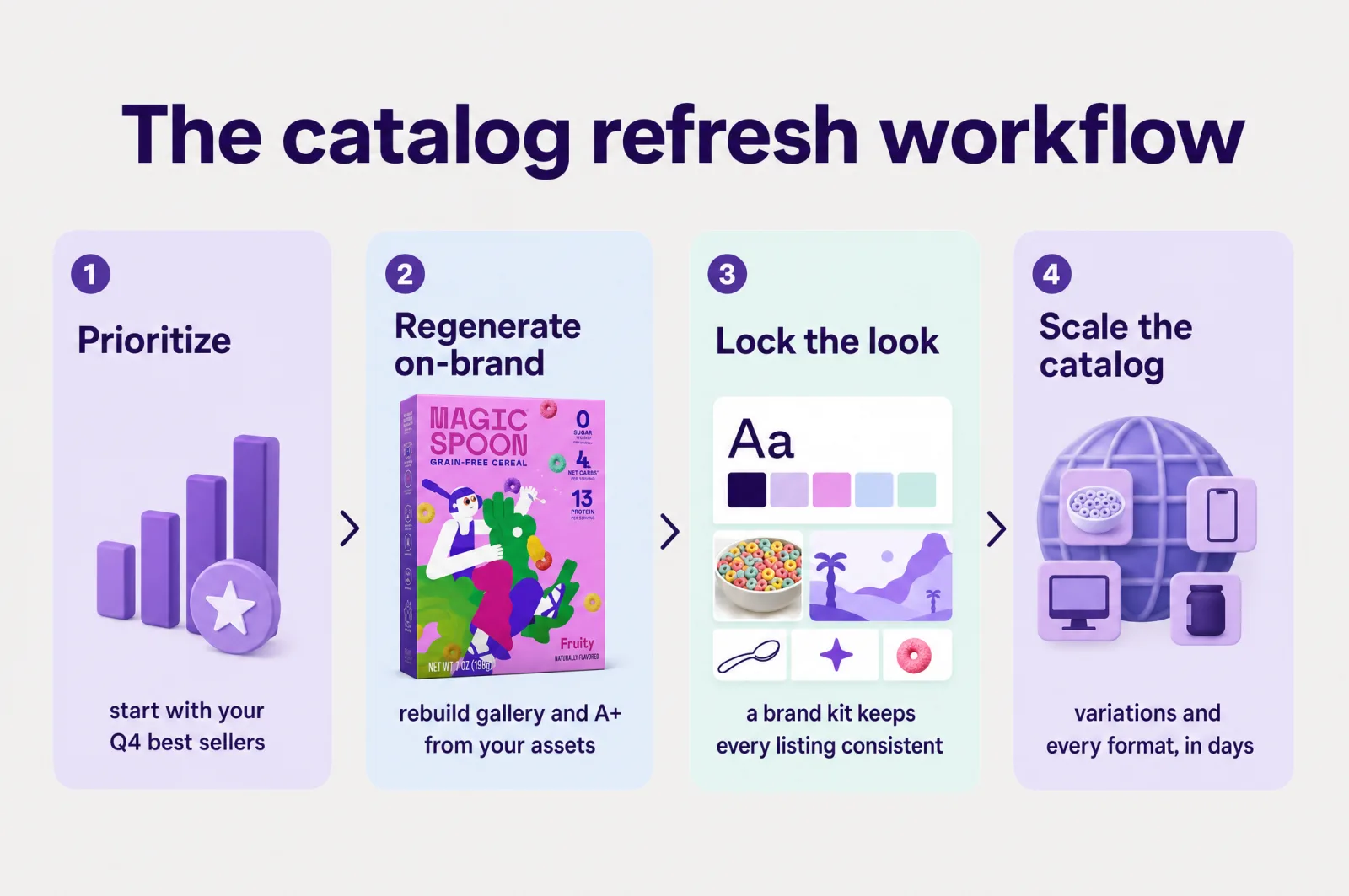
1. Prioritize by revenue and traffic. You do not refresh everything at once. Start with the listings that carry your Q4 sales: the best sellers, the gift-obvious products, the ones already pulling seasonal traffic. Decide what is worth changing before you change it, so effort lands where the money is. A small catalog is an advantage here, because fewer listings means you finish the whole pass faster.
2. Regenerate on-brand, keep the product true. Rebuild the gallery and lifestyle slots from your real product and brand assets. Anchoring to those images keeps the output looking like your actual product in your actual world, which is exactly where generic AI tools fail. And a regenerated gallery converts not because it looks nicer, but because it is built on what your buyers already told you: their reviews become ranked conversion drivers, and each slot answers a real reason a shopper hesitates. Beautiful images do not convert on their own. Strategically built ones do.
3. Lock the look once. A catalog refresh only works if 200 listings still look like one brand. A brand kit locks your colors, type, and visual style so every regenerated image inherits the same look without you art-directing each one. That is the difference between a refreshed catalog and a pile of mismatched images, and it is the whole point of keeping a growing catalog on-brand.
4. Scale it across the catalog. This is where in-house beats the shoot decisively. A winning seasonal scene can be recomposed into every format you need, so one hero becomes an A+ module, an ad, and a banner without a re-brief. Amazon variations let every color and material child of a parent listing inherit the refreshed look in 2 clicks, rather than a shoot per child SKU. A full listing or A+ stack regenerates in about 12 min. The platform already runs more than 127k assets a month across 7,500+ brands and agencies, so catalog scale is the normal case, not the edge.
The result: what a shoot would spread across weeks, a regenerate-and-batch refresh ships in days, on-brand, from images you already own.
Work backward from the peak dates
Timing is the last piece, and it is simple once you stop treating the refresh as a shoot. The Q4 calendar has a shape you can plan against:
- July: Prime Day. The summer spike, and the first real test of your seasonal readiness.
- Fall: a second Prime event. Amazon runs a fall deal event ahead of the holidays, its Prime Big Deal Days [4], which ran October 7 to 8 in 2025. Treat it as the opening bell of Q4 proper.
- Late November: Black Friday and Cyber Monday. The weekend after US Thanksgiving, into the December holiday run.
Work backward from each. Because a refresh takes days, not the weeks a shoot needs, you can aim to have new images live a week or two before an event, settled in and indexed, rather than scrambling the night before. Refresh your priority listings ahead of the fall event, widen the pass before Black Friday, and keep the best sellers current into December. You are not chasing a single deadline. You are keeping the catalog dressed for the season as it moves.
Own your Q4 refresh in-house
The old way makes you gamble a budget and weeks on a shoot before you can see whether it worked. You can flip that. Refresh one listing first: take your best seller, rebuild its gallery and A+ with a seasonal frame, and look at the result before you commit the catalog. If it looks gift-ready and on-brand, run the same pass across your priority products and walk into peak season prepared.
That is Amazon listing optimization you own: your images, your brand, your timeline instead of a studio's, while you still have runway to plan it. Start free and refresh your first listing before peak season lands.
Frequently asked questions
- Do I need to change my Amazon main image for Prime Day or Black Friday?
No. Your main image has to stay compliant year round: a pure white background and the product filling most of the frame. Seasonal storytelling does not belong there. Keep the main image as it is and put gifting cues, holiday scenes, and gift-ready context into your gallery, lifestyle, and A+ slots instead, where framing is free to change.
- When should I start my Q4 Amazon listing refresh?
Work backward from the peak dates: July Prime Day, the fall Prime event, then Black Friday and Cyber Monday the weekend after US Thanksgiving. Because a regenerate-and-batch refresh takes days rather than the weeks a shoot needs, you get more runway. Aim to have new images live a week or two before each event so the algorithm and your shoppers see them settled in.
- Can I add a sale badge or Black Friday graphic to my listing images?
No. Amazon does not allow promotional claims, badges, or overlay graphics in product images, and non-compliant images can be removed. A seasonal refresh wins on context, not couponing: show the product as the gift, in the season, solving the holiday job. Keep the discount messaging in your ads and your pricing, where it belongs.
Sources
- 1.NRF: Holiday sales to surpass $1 trillion for the first time in 2025
- 2.Amazon Seller Central: Product image guide
- 3.Amazon Seller Central: Text, logo, graphics, and watermarks in product images
- 4.Amazon: Prime Big Deal Days
- 5.8 Amazon listing images, 8 jobs
- 6.Get a full Amazon A+ content stack in minutes, in-house
- 7.Amazon main image requirements
- 8.Amazon variations: a full parent listing in 2 clicks
- 9.Keep a growing catalog on-brand with a brand kit generator
Built by someone who’s lived it.
I’ve been in e-commerce since 2018. I built and exited my own brand, then spent 5+ years running a creative agency for product companies, shipping the listings, ads, and content that move real sales.
Filed under
Launch your full Amazon listing in minutes, in-house and on-brand
Main image, gallery, A+, ads, translations and variations. Built on your reviews, optimized for conversion.
Next recommended read
8 Amazon listing images, 8 jobs: 1 wins the click, 7 win the sale
Your Amazon listing is not one hero image. It is 8 Amazon listing images doing 8 jobs: 1 wins the click, 7 win the sale. Here is the blueprint.
7 min read
More on this topic — playbooks and product deep-dives.

Get a full Amazon A+ content stack in minutes, on-brand, in-house
Amazon A+ content used to mean an agency and weeks of waiting. Here's how to produce a full, on-brand A+ stack in-house, in minutes.

Amazon main image requirements: stay compliant and still win the click
The Amazon main image requirements in full, plus how to lift click-through without breaking a rule or getting your listing suppressed.

Amazon variations: build a full parent listing in 2 clicks
How to set up Amazon variations (parent-child listings) and get an on-brand image for every color and size, from parent SKU to 2-click generation.